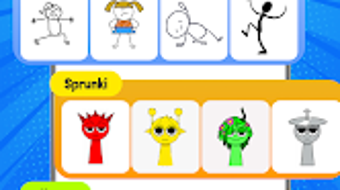

Download Draw Animation – 2D flip art, stickman animation, flipbook maker, cartoon story, animated film, doodle animation, free animation tool
Overview
Draw Animation – 2D Flip Art is a creative Android application designed to help users transform simple doodles into dynamic animations. The software serves as a digital flipbook maker, enabling users to craft animated films and cartoon stories through frame-by-frame drawing. Its primary purpose is to simplify the animation process, making it accessible to both beginners and those with some experience in digital art. The app allows users to draw stickman characters and animate them in a playful, intuitive environment, ideal for storytelling, educational projects, or personal entertainment.
Target users include students, aspiring animators, educators, and casual creators who enjoy visual storytelling. The app’s focus on 2D flip art and doodle animation positions it as a lightweight yet expressive tool for creative exploration. Real-world usage scenarios include creating short animated clips for social media, developing educational content with animated characters, or producing simple animated films for personal or classroom use. The developer, Animaze, has positioned the app as a free, accessible platform for animation enthusiasts who want to experiment with motion and narrative without complex software.
Key Features & Capabilities
- Frame-by-Frame Animation: Users can create animations by drawing each frame individually, allowing precise control over movement and timing. This method is ideal for crafting smooth transitions and expressive character actions.
- Stickman Animation Tools: Specialized tools are available for drawing and animating stickman characters, simplifying the process of creating dynamic, expressive figures without requiring advanced drawing skills.
- Flipbook Maker Interface: The app functions as a digital flipbook, enabling users to flip through frames quickly and preview animations in real time, enhancing the creative workflow.
- Doodle Animation Mode: Designed for casual users, this mode encourages freeform drawing and animation, allowing users to bring their sketches to life with minimal setup.
- Cartoon Story Creation: The app supports the development of narrative sequences, letting users build short animated stories with characters, scenes, and simple dialogues.
These features support a wide range of creative applications, from producing animated clips for YouTube Shorts to illustrating classroom lessons. The intuitive interface ensures that users can focus on storytelling and expression rather than technical complexity.
User Interface, Workflow & Performance
The user interface of Draw Animation is designed with simplicity and accessibility in mind. Navigation is based on a clean, touch-friendly layout that organizes tools and frames in a logical sequence. Users can switch between drawing and playback modes with minimal effort, and the interface adapts to different screen sizes on Android devices.
Workflow efficiency is enhanced by the app’s streamlined process: draw a frame, add the next, and preview the animation. The app supports continuous drawing across frames, allowing for smooth character movement. However, exact performance details were not specified. The developer did not provide information on CPU or RAM usage, nor did they share benchmarks for frame rate stability or rendering speed.
General observations suggest that the app operates smoothly on modern Android devices, but performance may vary based on hardware. Stability during extended use was not documented. Users should expect standard behavior for lightweight animation tools, with no reported crashes or freezes in available data.
Compatibility & System Requirements
Draw Animation is designed for Android operating systems. The current version is 2.0.5, with a file size of 35.8 MB. This indicates a lightweight installation, suitable for devices with limited storage. The app is compatible with a range of Android devices, though specific hardware requirements were not listed.
Exact system requirements were not provided by the developer. Compatibility information is limited to the OS platform and version. Users should ensure their device runs a supported version of Android, but no minimum OS version was specified. The app does not require high-end hardware, making it accessible to a broad audience. However, performance may depend on device capabilities, especially during animation playback or complex frame sequences.
Pros and Cons
Pros
- Free to download and use with no in-app purchases disclosed
- Intuitive interface ideal for beginners and young creators
- Specialized tools for stickman and doodle animation
- Lightweight installation at 35.8 MB
- Supports creative storytelling through animated film creation
Cons
- Exact system requirements not specified by the developer
- Limited information on performance under heavy usage
- No support for advanced animation features like layering or sound integration
- Compatibility with older Android versions is unclear
- Only available on Android, limiting cross-platform use
FAQ Section
Is Draw Animation available for iOS devices?
As of the current release, the app is only available for Android. There is no official iOS version listed by the developer.
Can I use Draw Animation offline?
Yes, the app does not require an internet connection to create or view animations, making it suitable for use in offline environments.
Is the app safe to download?
Draw Animation is a free app distributed through official Android channels. No security warnings have been reported, but users should always download from trusted sources.
How often are updates released?
The developer has released version 2.0.5 as of May 15, 2024. No specific update schedule has been announced.
Does the app support adding sound to animations?
There is no information provided about audio integration. Based on available features, sound support appears to be limited or unavailable.
Final Thoughts
Draw Animation – 2D Flip Art delivers a focused, accessible experience for users interested in frame-by-frame animation and digital storytelling. Its strength lies in simplifying the creative process with tools tailored for stickman and doodle animation, making it a valuable resource for educators, students, and casual animators. While it lacks advanced features and detailed system specifications, its lightweight design and free access enhance its appeal.
For anyone seeking a straightforward, fun way to bring sketches to life, this app offers a practical solution. The lack of complex requirements and the emphasis on creativity over technical skill make it ideal for beginners. Despite limited information on performance and compatibility, the app functions as a reliable tool within its intended scope.
Download Draw Animation now to start creating your own animated films and cartoon stories with ease.





.png)

